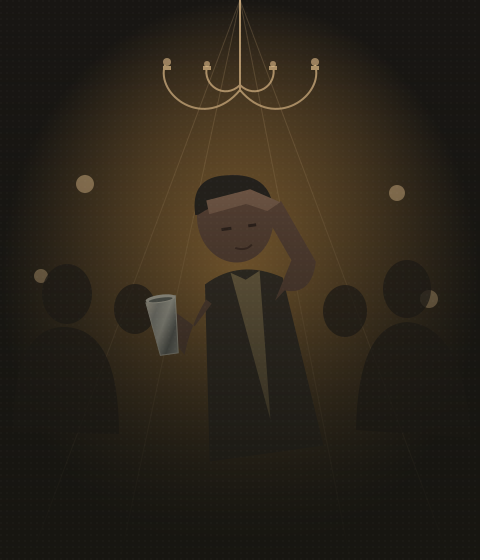
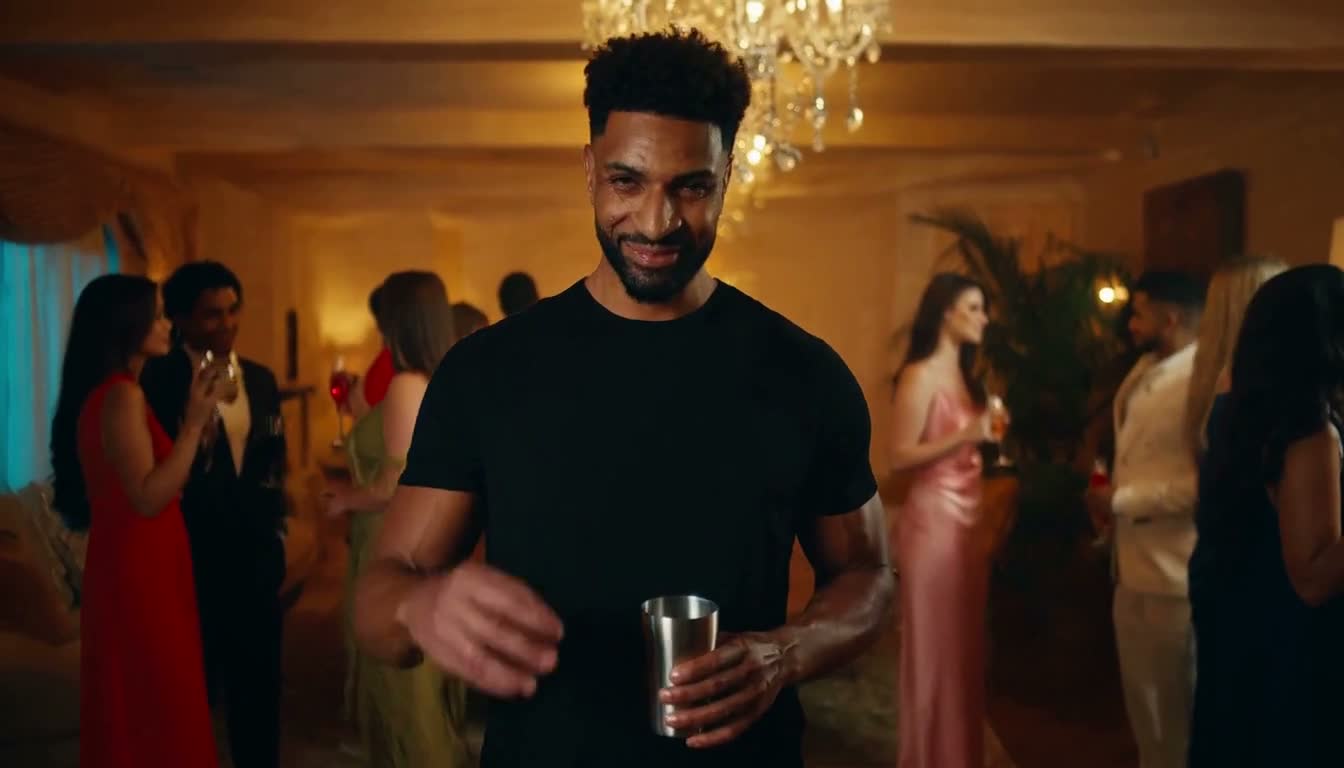
Turn your photo into a Burning Bridges AI Video and take the spotlight in a party scene inspired by the remix trend. Choose your setting, create your moment, and download a video that feels like your version of the joke.
Start with a clear photo of yourself or your pet. Watch the examples for inspiration, then make an entrance worth sending to the group chat.
YOUR PHOTO✦ONE ICONIC GESTURE✦YOUR MAIN-CHARACTER MOMENT
01 / THE VIDEO STUDIO
Your photo. Your party moment.
Pick your scene. We’ll make your party moment.
Put a familiar face in an unexpected party scene. Upload one photo and choose a room for your subject to walk into.
Choose the golden chandelier party for a classic look, or the after-party suite for a different setting. Before you begin, watch the previews and decide which atmosphere suits your photo. Think about the reaction you want: a confident entrance, a funny surprise, or a pet stealing the spotlight.
Start simple on your first run: one clear subject and one party scene. Upload your photo below and choose where they walk in.
5 SECONDS · YOUR PARTY MOMENTYour photo. Your party moment.
Your photo stays in this tab while you check prices. After signing in, refreshing or returning from checkout, choose your photo again.
Compare the starting photo with the finished clip. Watch how the room, the walk-in, and the look around the party change a still portrait.
Watch the previews with your own photo in mind. Notice how clearly the face reads, how the room changes the mood, and what makes the entrance land for anyone who knows the trend.
Use the examples to pick a scene. The photo you upload and the generated performance will affect your result.
Your photo
Your party video
02 / MAKE YOUR ENTRANCE
How to make a Burning Bridges AI Video
01
Choose a clear reference photo
Start with one person or one pet in the frame. Choose a photo with clear lighting, a visible face, and enough of the upper body to establish the subject. For a person, a head-to-waist photo is a useful starting point. For a pet, choose an image where the face and body are easy to distinguish. Avoid group photos, heavy filters, and objects covering the face. If you have several possible images, choose the one where you recognize the subject immediately. A straightforward reference is more useful than a dramatic photo with deep shadows or a complicated background.
02
Pick the party scene
Choose the golden chandelier party for a warm, crowded room or the after-party suite for a different backdrop. Try a serious portrait for a dramatic entrance, or an expressive pet photo for a joke.
03
Generate, preview, and download
Generate your video, then preview it in your account. Check the subject and movement with sound on and off before downloading. If you post it, use music from your social app’s licensed library where available. For a group chat, try a short caption.
A good reference photo makes the subject easy to read at a glance. Use even lighting and keep the face in focus. Check that the image is large enough to show facial details without looking blurry, and leave room around the head and upper body instead of cropping tightly around the eyes.
Pick an expression that sells the joke. A relaxed smile keeps the clip light, while a deadpan face often makes the party entrance funnier. What they're wearing also helps set the vibe without extra people or props in the shot.
For a pet remix, choose a photo taken near eye level if possible. Keep the ears, eyes, and outline visible, and avoid pictures where the animal blends into the background.
Upload a JPG, PNG, or WebP image under 10 MB, with both sides at least 341 pixels. Use a photo you own or have permission to use.
MAKE IT PERSONAL
Make it a reaction, a reveal, or a pet remix
A main-character entrance
Turn a familiar portrait into a party entrance for a reaction clip, a playful introduction, or an inside joke.
A group-chat surprise
Start with the joke your friends already understand, then make your video the punchline. A short caption often does more than a long explanation. Give viewers enough context to recognize why this particular person is making the entrance.
A pet in the spotlight
Put your pet in the middle of the party. Start with a photo that shows the expression everyone recognizes.
A social remix
Use the downloaded clip as the starting point for your post. Add a caption, review the framing in the destination app, and choose suitable licensed music if you want it.
Pick one idea for each version. A clear joke or recognizable reaction is easier to follow than a clip trying to do everything at once.
ONE PAYMENT. NO SUBSCRIPTION.
Five seconds in the spotlight. One payment.
Turn your photo into a 5-second party video for $3.99. Make your entrance, take the spotlight, and download your moment.
Pay once for your video, with no subscription or recurring charge. Start with a clear photo of yourself and make a party moment worth sharing.
If a render fails, the video used for that attempt is returned to your account balance so you can try again.
The remix follows a familiar party meme: a crowded room, a confident entrance, and a look around the room. Your photo supplies the subject.
Do I need video-editing experience?
No. Choose a photo and a scene, then generate the clip. You can add a caption or licensed music in your social app before posting.
Can I use a photo of my pet?
Yes. Choose one pet with a clearly visible face and body. A simple background and a recognizable expression make a useful starting point. Watch the examples to decide whether the party setting suits the version you have in mind.
Does the video include the original song?
Your video includes original generated audio. If you want the original track for a social post, add it through the platform’s licensed music library where it is available. Check the available music options in the app where you plan to publish.
Are my photo and video published automatically?
No. Your photo and generated video are private to your account. You decide whether to download or share the finished clip. Creating a video does not automatically publish it to a social platform.
How long does generation take?
Rendering takes several minutes and may take longer during busy periods. You can close the tab and return to your account to check the result. Preview the finished video before choosing how you want to use it.
Is Burning Bridges Studio affiliated with Drake?
No. Burning Bridges Studio is an independent creative service and is not affiliated with or endorsed by Drake. The tool gives you a way to create your own personal party remix inspired by the trend.